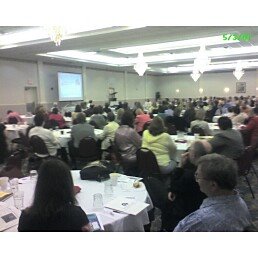
Thursday, May 03, 2007

WAPL 2007: Let the Games Begin: Productive Activities for Teens @ Your Library

Peg Burington, Assistant Director & teen coordinator, Waupaca Area Public Library, along with SLAG (Student Library Advisory Group) members. Handouts will be posted at waupacalibrary.org

Doing YA programming
  • Libraries should find productive teen activities – if either:
    • you don't have teens coming or
    • teens at library are not productive
  • Teen advisory group has officers, raises funds makes purchase decisions for materials & games
  • Apparent barriers can be overcome
    • no time
    • no money
    • no support

Characteristics of YAs

  • Seven developmental needs of young adolescents
  1. Physical activity
  2. Competence & achievement
  3. Self-definition
  4. Creative expression
  5. Positive social interaction with peers & adults
  6. Structure & Clear Limits
  7. Meaningful participation
  • Also: they travel in packs, they're brutally honest, they need positive influences in their lives

How To Make Programs Successful
  • Schedule programs at regular time
  • Include food in all programs, mention food in all PR
  • Do distinctive handouts on die cuts, have volunteers fill them out and distribute at school
  • Announcements at middle school
  • Email kids to get them to show up
  • Summer - activities every day, get one point per day for showing up, earn chances at prizes
  • Hot Topics a good place to shop for program supplies & prizes (Goth stuff) – use a trusted teen to do the shopping

Activities
  • Games
    • Apples to Apples - good for short attention spans, educational
    • Zobmondo - good for getting to know each other, exploring values
    • Man Bites Dog
    • Magic: the Gathering (tournaments every Wed. aft in summer with cards as prizes)
    • Video games can be purchased used or donated
    • Gaming policy developed by SLAG on website
    • DDR - Dance Dance Revolution - Playstation 2
    • Guitar Hero
    • Studies show DDR meets all developmental needs of teens
    • other PS2 games: Soul Calibur 1, 2, 3, Crash Bandicoot, Ace combat simulator, Madden 2007 football, Final Fantasy 12
  • Other activities
  • Genius pads - big sticky notes
  • Read poster software
  • Making buttons
  • blurb.com - use your scanned images & photographs to make a book
  • Magnetic poetry
  • Goth sock puppets

Resource books
  • Connecting Young Adults and Libraries 3rd ed (the bible)
  • A Year of Programming for Teens
  • Teen Volunteer Services in Libraries
  • more information on YALSA web site

Collections
  • take kids book shopping twice a year
  • Have great browsing books, esp. "YALSA quick picks for reluctant readers"
  • "Book of bunny suicides"
  • Books about crafts, temporary tattoos, mehendi

Fundraising
  • car washes with cookout
  • washing windshields at truck stops
  • selling book bags, book lights, food in the library, food fridge in teen room
  • booths at community events
  • don't say you don't have money - once teens are using library, you have a fund raising machine
  • Waupaca got grants incl $15K from Community Foundation for YA furnishings

WAPL 2007: Genealogical Resources for Library Support Staff

Genealogical Resources for Library Support Staff
a presentation by Lori Bessler, Microforms Librarian and Outreach Coordinator, Wisconsin Historical Society

The Wisconsin Historical Society's newspaper microfilm collection is 2nd in size only to that of the Library of Congress.

Area Research Center network:
  • The Society's Area Research Center network holds original records from the area near to the ARC's location
  • each of the ARC locations have web sites, accessible from http://www.wisconsinhistory.org/libraryarchives/arcnet/
  • items can be couriered from one ARC to another for use by your patrons
Use the MadCat catalog to find items owned by the library at WHS.
Use the ArCat catalog to find items owned by the archives at WHS.

Other services offered by WHS:
  • photocopying services
  • research services
  • www.wisconsinhistory.org web site provides lots & lots of resources, including access to over 20,000 images & photos
The WHS Research Portal points to databases such as...
Tips for beginning genealogical research:
  • start with yourself & go backwards
  • talk to your living relatives & get an oral history
  • cite sources thoroughly so you can find the information later
  • photocopy everything, instead of transcribing what you find
  • use pedigree charts & family group sheets
  • find reviews of genealogical software at Cyndi's List
Genealogical resources:
  • census
  • vital records
  • newspapers
other good web sites for genealogical research:

WAPL 2007: Never stand behind a sneezing cow


Wisconsin author Michael Perry entertained a full-house crowd at the Thursday luncheon.

Perry, whose new book is Truck: a Love Story, showed why he is in high demand as a library speaker. His remarks and readings showed him to be a gifted wordsmith as well as a family man, nurse, poet, raconteur, down-to-earth intellectual and a pretty funny guy.

He talked about his love for libraries and reading, recalling how his mother had taught him to value the time sitting quietly with a book, and remembering childhood trips to the library. Attendees also learned valuable lessons on many topics, including lambing, chickens and Ford F150s.

Perry's website is www.sneezingcow.com

WAPL 2007: Google Scholar & Google Books


Google Scholar & Google Books: Bringing a World of Information to Your Community
a presentation by Pamela O’Donnell, Academic Librarian at University of Wisconsin-Madison

Google Image:
  • you can search by image size and image type as well as by keyword
Google Video / YouTube
  • it's what our patrons are watching
  • it's how they're accessing information
Google News
  • it's constantly updated
  • an RSS feed is available
Google Maps
  • mashups take existing data and show it in a new context
  • using Google Maps with literature - look at the places mentioned in the book Kite Runner; a way to make a book more relevant to students
  • search for the pyramids in Egypt & view the satellite view to see the Sphynx's nose
  • use the technology to engage with your audience / patrons
On Google, the link to More shows you choices based on your IP address; for example, when on the UW Madison campus it offers patents, scholar
Click on the "More Google" to see the full range of services offered by Google

Google Documents
  • used for committee work
  • committee members can edit documents jointly
Search operators:
  • minus sign: to eliminate searches that don't deal with your topic, like "virus - computer - web"
  • plus sign: to make sure the term will show up in the results, like "spider +internet"
  • tilde: looks for synonyms, like "~auto to find car, truck, vehicle, automobile
  • asterisk: wild card, like "Wisconsin is the * capitol of the world"
  • use "link:" to find what other web pages are linking to another, like "link:http://www.wla.lib.wi.us/wapl/"
  • use "info:"to see the metadata about a web site; useful to check out info about a web site to see if there's bias or an agenda
  • quotation marks: to search for phrases
  • use Domain Search to eliminate .coms from your search
  • more advanced search operators are available at http://www.google.com/intl/en/help/refinesearch.html
Google Patents
  • full text search from scanned documents
  • you can search within a patent
  • abstract, drawings and text are all available
  • OCR scanning can be flaky, so re-try your search if it doesn't bring anything up the first time
  • once you have the patent number, go to www.pat2pdf.org to get a PDF of the patent
  • U.S. patents only
Google Book Search
  • starting with English language, and now branching out
  • search full view books
  • many of the books are in the public domain
  • great for student history projects
  • some table of contents hyperlinked to pages within the document
  • you can search within the book for a term
  • you can also find the physical copy of the book in a library, using their link to Open WorldCat
Range of access in Google Books:
  • full view
  • limited view - limited preview is about 80% of the items in Google Book; mostly for books published after 1923 because of copyright laws
  • snippet view - your search phrase in context
  • no preview - just gives citation information
Google Scholar http://www.google.com/patents
UPDATE: Pamela's PowerPoint slides & handouts (in both MS Word & PDF) are now available at the WAPL Post-Conference Resources page.

Joint Finance Funds Library Service Contracts & System Aids

Listening to the audio of Joint Finance Committee on my laptop in the hallway outside the program "What's New Under the Dome" meant that everyone got the news of what's really new. That, plus the fact that Rick Grobschmidt received a cell phone call with breaking news in the middle of his report, made for a very timely presentation.

Bottom line: JFC funded the statewide library service contracts at the levels recommended by Gov. Doyle. They also funded public library systems at the level recommended by Gov. Doyle, but they choose to fund more of the those aids from Universal Service Funds than the governor proposed. What's more, both votes were 16-0.

The discussion on contracts started out with the possibility of cuts, but supportive remarks from Sen. Jauch, Rep. Kestell, Sen. Lehman, Sen. Miller, Sen. Taylor, and Sen. Decker paved the way for a positive outcome.

For those of you who want to understand this better, go to the Legislative Status Report and get the summary and links to more information.

Later this morning JFC will act on the budget proposal that would provide counties with a levy limit exemption for county library reimbursements. WLA has proposed that the budget bill language be amended to make a technical correction and also to expand that exemption. Again, read more on the Status Report.

WAPL 2007 kicks off in Eau Claire


The WLA Foundation's Rick Krumwiede talks up the Campaign for Wisconsin Libraries at the opening session.

The keynote presenter was Keith Curry Lance, Director of the RSL Research Group of the Colorado State Library and University of Denver. Lance spoke on "Making it Count @ Your Library." Featured were tips on data sources and ways to substantiate the value of public libraries to their communities in various roles.

Watch for a PowerPoint of the keynote presentation to be posted later. In the meantime, catch Stef Morrill's notes.

Tuesday, May 01, 2007

MATS Blogging the 2007 WAPL Conference

The 2007 WAPL Conference will be a great place to be, but not everyone can get away to Eau Claire May 2nd-4th. Good news; three WLA Media and Technology Section (MATS) members -- Nichole Fromm, Joy Schwarz & Terry Dawson -- will soon be posting their notes about conference programs & sessions, here on the WLA blog. And Stef Morrill will be blogging about WAPL programs over on her Ning blog too.

Friday, April 20, 2007

WAAL 2007: NMUmaniTies: an interdisciplinary blog for liaisons

"Tying together Art & Design, Communication & Performance Studies, and Modern Languages & Literature"
http://nmumanities.blogspot.com
Krista Clumpner

At NMU Librarians are faculty and serve as liaisons. Krista has Art & Design, CAPS, and Modern Languages.

Goal: Communication
-- between library liaison (Krista) and departments
-- among faculty and staff within and across the departments

Art & Design (31 facstaff)
-- studio arts
-- arts ed
-- art history

Communication and Performance Studies (24 facstaff)

Modern Languages (14 facstaff)

The departments are spread out geographically all over campus in three different buildings. Since NMU is on "the balmy southern shore of Lake Superior," walking across campus can be a challenge for much of the year.

How to improve communication? Try a blog...

See Feb 2007 CiL article by Judy Hauser on Web2.0 tools

Why a Blog?
-- Quick
-- Easy
-- Cheap
-- Everyone can participate

How quick?
Depends on how much you want to put into it...

How easy?
To quote: "Easy as 1-2-3"

How cheap?
If you have a computer and internet, it's "just" your time and energy...

Participation?
Authors and Viewers --> readers and commenters --> dialog
Viewers becoming Authors
promoting dialog between faculty --> interdisc. activities

What's she posting?
-- announcements
-- new acquisitions
-- "book of the week"
-- netlibrary stats
-- etc.

What's next?
Dialog, we hope
-- asking questions to promote responses

Promotion
-- email announcements
-- promote to students (laptop university)
-- personal communication in the fall

Add graphics
-- book covers

Move to local server (maybe)

If this works to promote faculty communication, Krista gets "two gold stars"

Thursday, April 19, 2007

WAAL 2007: Understanding, Courting, and Educating the Next Generation Subject Specialists

Louise Robbins and Phoebe Chiu
http://slisweb.lis.wisc.edu/~imls/index.htm

There were supposed to be two other panelists for this program (Diane Barlow and Pat Fisher) but only Louise and Phoebe were able to attend. Fortunately, they're Louise and Phoebe and so, did an outstanding job all by themselves.

My random, quickly typed notes are below. You should look at the website above to get the real story.

UMd and UW got a 3-yr grant from IMLS to study...
Research Objectives
  • To answer questions regarding the supply and demand of subject specialists in academic and research libraries;
  • To discover successful approaches to recruiting subject specialists in various academic disciplines in university;
  • To craft and test a curricular structure that is responsive to the future needs of libraries and librarians.
They used interviews, focus groups, and content analysis of job descriptions and job ads.

ARL demand for subjspec:
humanities
sciences, esp. engineering and phys.sci.
socsci

projected demands in 2010
science, esp. biology, then physical sci, then humanities

attributes:
versatility and adaptability in professional practice
knowledge of scholars and researchers in the field
versatility and adaptability in intellectual work
fluency in the language...

attraction to librarianship?
intellectually rich environment
experience of working in lib
nature of lib work

courting:- develop targeted recruitment brochures- issue of subspecialties- include joint/dual/minor degree opportunities- include testimonials
curricula- need for group projects- practica

Findings:
- shortage of potential subject specialists in certain areas (sciences)
- agreement on the most important curricular aspects
- need for flexible masters curriculum which requires core as well as practica
- value of internship
- consensus on importance of versatility and flexibility
- attractiveness of librarianship as a career path for people who enjoy the academic world -- phds in some areas "have nowhere to go" -- but scientists tend not to use libraries so they don't have the warm feelings...
- difficulty of raising awareness of librarianship as a career

learning how to learn the structure of a discipline -- then you can punt...

Larry Jacobsen example: english major who became a world figure in primatology...

Questions for further consideration...
- generalists vs specialists
- educational programs for holders of advanced degrees
- workplace culture issues
- differentiated career ladder?

Limitations of the study:
- Out of 56 programs, they got 30 responses
- Student info protected by FERPA
- Many LIS programs don't collect info on students with other advanced degrees

Still got 500 responses from students

Title 6 centers required to have subject bibliographers

Many subject bibliographers move from job to job within a limited number of space

Most apps to SLIS from english and history majors

Undergraduate degree specialties tracking into MLS programs? how can we get scientists onto the track?

How do you get a raise in our economy? take your expertise and go elsewhere...

Spousal hiring? In two academic couples, it can be an advantage for one of the pair to have a library degree

It helps to get faculty in phd programs to direct new doctorates to librarianship...

There are several joint/double/dual degree programs (all mean different things) that could be attractive to people with subject specialties...

WAAL 2007: DataFerrett!

Virtual Processing of Govt Data Files
Mike Watkins

Mike, the govdocs guy at UW-Oshkosh, gave us a whirlwind tour of
DataFerrett (http://dataferrett.census.gov/) , a very cool tool for
dealing with some government statistical datasets. This would be very
powerful for students and faculty working in a variety of fields,
including political science, public policy, health care, economics,
statistics...

Below are my "scribbled" notes from Mike's PPT. They in no way reflect
the depth of Mike's knowledge about DataFerrett...

FERRETT: Federated Electronic Research, Review, Extraction and
Tabulation Tool

  • extracts and tabulates data from "small" data sets
  • first release was a collaboration between BLS and Census Bureau; now
    Census and CDC
  • applet and/or application which must be downloaded -- can be a problem
    on restricted computers

datasets:

  • microdata
  • aggregate data
  • time series data
  • longitudinal data

microdata:

  • small samples taken from surveys
  • scientific sampling techniques
  • decennial census 1% and 5% samples
  • small sample means large geographic areas: smallest is the MSA

Public Use Microdata Raw Data

  • Presents students and researchers with data to actually manipulate -->
    you may be aggregating a unique dataset

American Community Survey

  • Most current information -- may eventually replace the decennial census

Many datasets available, from ACS to FHWAR... Some of it is getting
kinda old, but some is pretty current.

Demo: veterans educational attainment
select census dataset
select variables --> Education
select required (geographic) variable --> Wisconsin --> Appleton-Oshkosh
MSA, etc.
select variables --> Military Service

Some tips:

* keep tabulations simple by limiting geog. area and overall number
of variables
* you can download the file if online can't process it -- in a
variety of formats: SPSS, xls, etc.
* fewer categories can make the data much easier to read and
manipulate -- recode variables
* can save final tables in a variety of formats too, including PDF...

Tutorials and user guide are pretty good and take about 45 minutes to
complete.

Other tips for finding stats:

* find "like" stats in StatAb and go to source...
* USAGov
* Google Gov